Free Featured

Letstudy Course Format

10 Stunning Course Layouts for Moodle

Quick Summary

Type
Moodle™ Plugin
Pricing
Free
Features
21 included

Screenshots

See it in action
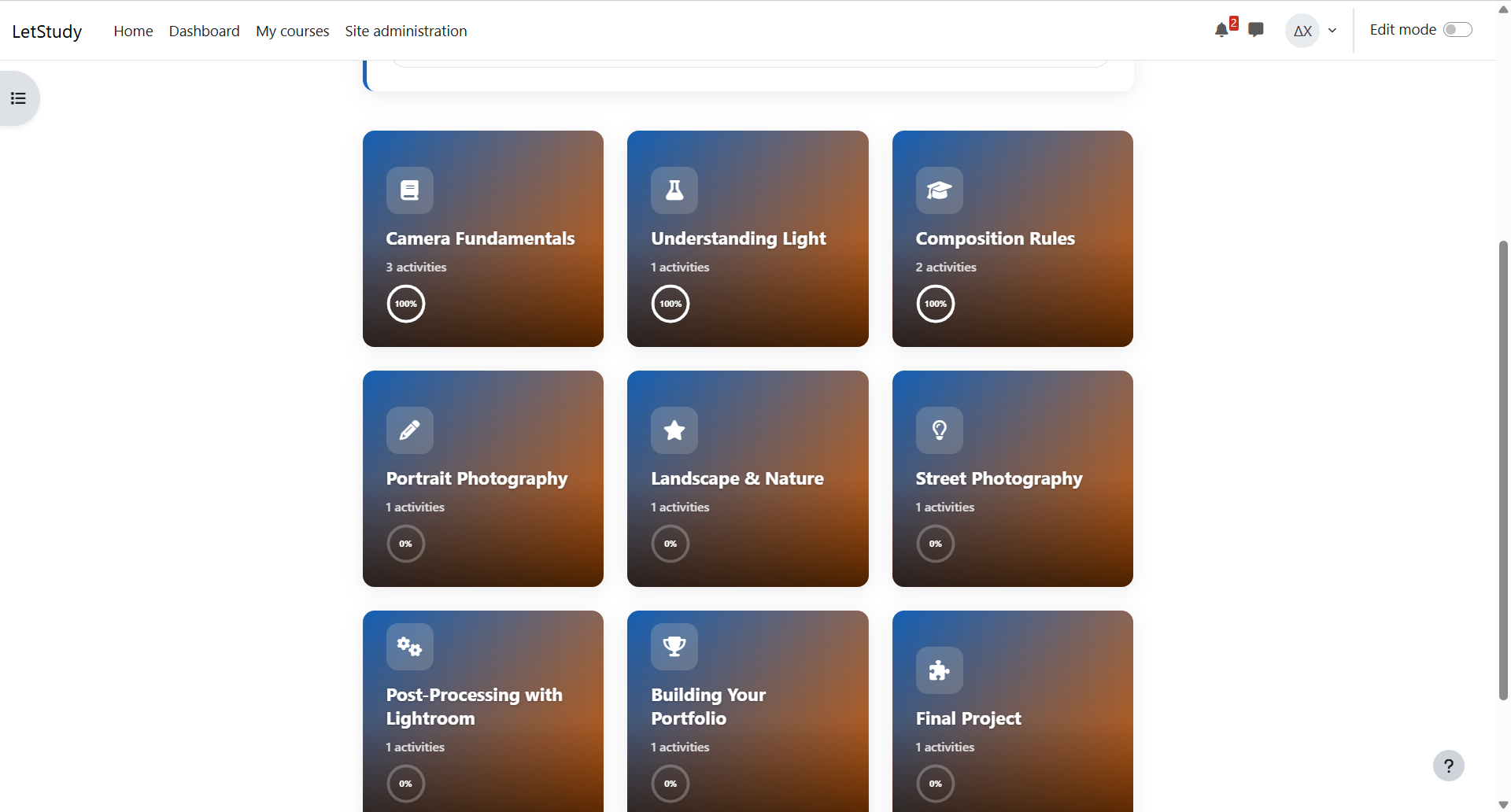
Letstudy Course Format screenshot
1 / 10

About Letstudy Course Format

Transform your courses with 10 unique layouts — from interactive cards and timelines to Kanban boards and 3D bookshelves. Every course can have its own look. Choose colours, section icons, background images, and grid columns. Admins set defaults for all new courses. Students see their progress in real time — circular or linear indicators that update instantly without a page reload. In the Kanban layout, sections sort automatically by completion status (Pending, In Progress, Completed). Smooth entrance animations bring courses to life while respecting accessibility settings. Works on desktop, tablet, and mobile with any Moodle theme. Fully integrated with Moodle: drag & drop sections, course index sidebar, and backup/restore. Requires Moodle 4.5+.

Features

What Letstudy Course Format offers

10 Course Layouts

Cards, Tabs, Timeline, Learning Path, Kanban, Metro Tiles, Map Journey, 3D Bookshelf, Polaroid Wall, and Modern List — pick the one that fits your course.

Full Visual Customisation

Per-course colours, FontAwesome section icons, background images, and adjustable grid columns — every course gets its own identity.

Real-Time Progress

Students see their progress update instantly as they complete activities — no page reload needed.

Auto-Sorting Kanban

In the Kanban layout, sections automatically move between Pending, In Progress, and Completed based on student progress.

Animations & Accessibility

Smooth entrance animations (Fade, Slide, Zoom, Bounce) that respect the browser accessibility settings.

Desktop, Tablet & Mobile

All layouts work perfectly on every device. Compatible with any Moodle theme.

21 features included

Everything you get

The complete feature set of Letstudy Course Format.

Cards/Grid layout
Tabs layout
Modern List layout
Timeline layout
Learning Path layout
Kanban Board layout
Metro Tiles layout
Map Journey layout
3D Bookshelf layout
Polaroid Wall layout
Per-course brand colours
Section icons (FontAwesome)
Section background images
Adjustable grid columns (2, 3, or 4)
Real-time progress indicators
Entrance animations
Accessibility support
Drag & drop section reordering
Fully responsive
Backup & restore compatible
Moodle 4.5 – 5.0
Free & Open Source

Get Letstudy Course Format

Start using Letstudy Course Format at no cost. Free forever, open source, community supported.

Explore More

More from Letstudy

Stay in the loop

Get notified about new plugins, updates, and Moodle™ tips. No spam, unsubscribe anytime.